Odoo Community & Enterprise · version 20
Your whole energy transport operation, inside Odoo
Requests, routes, fleet, fuel, maintenance, drivers and per-trip payroll in a single module: base_tms_energy.
Download dossier (PDF)- 10 states per trip, from draft to invoiced
- GPS map of the fleet
- Mobile portal for drivers
28
business models
10
states per request
2
PDF reports
1
driver portal
Everything that moves your company
Built for fuel, gas and energy cargo transport: tankers, tractor + trailer sets and trips with kilometre control.
Operations
Transport requests with route, customer, set, driver and weights; import from Excel, creation from sales orders and invoicing grouped by customer.
Fleet
Vehicles with engine, insurance and capacities; tractor + trailer sets, checklists, tyre control, maintenance orders and a GPS map.
Fuel
Every diesel or AdBlue fill with litres, kilometres, coupon, station and cost; efficiency in km/l and l/100 km per vehicle.
Drivers
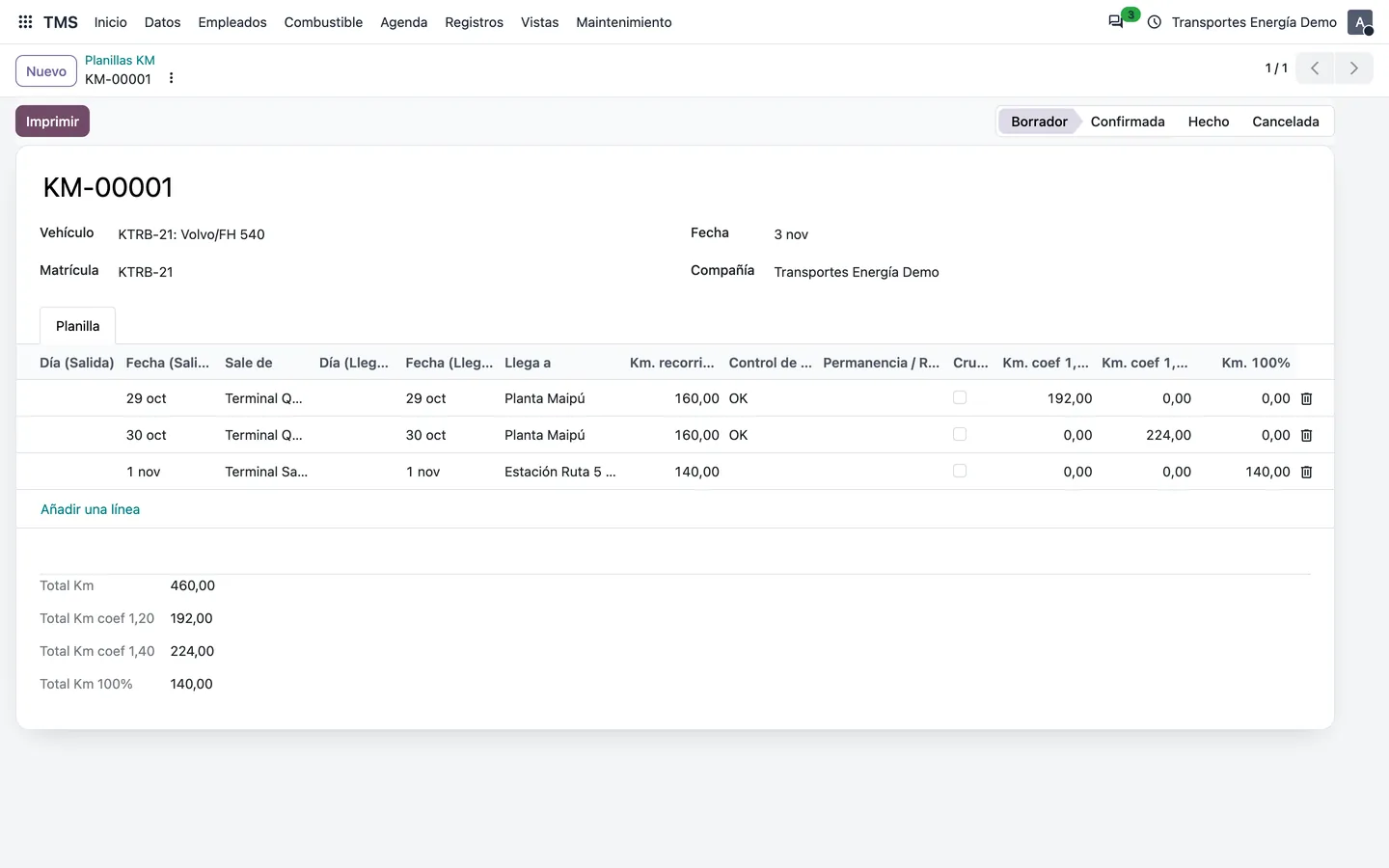
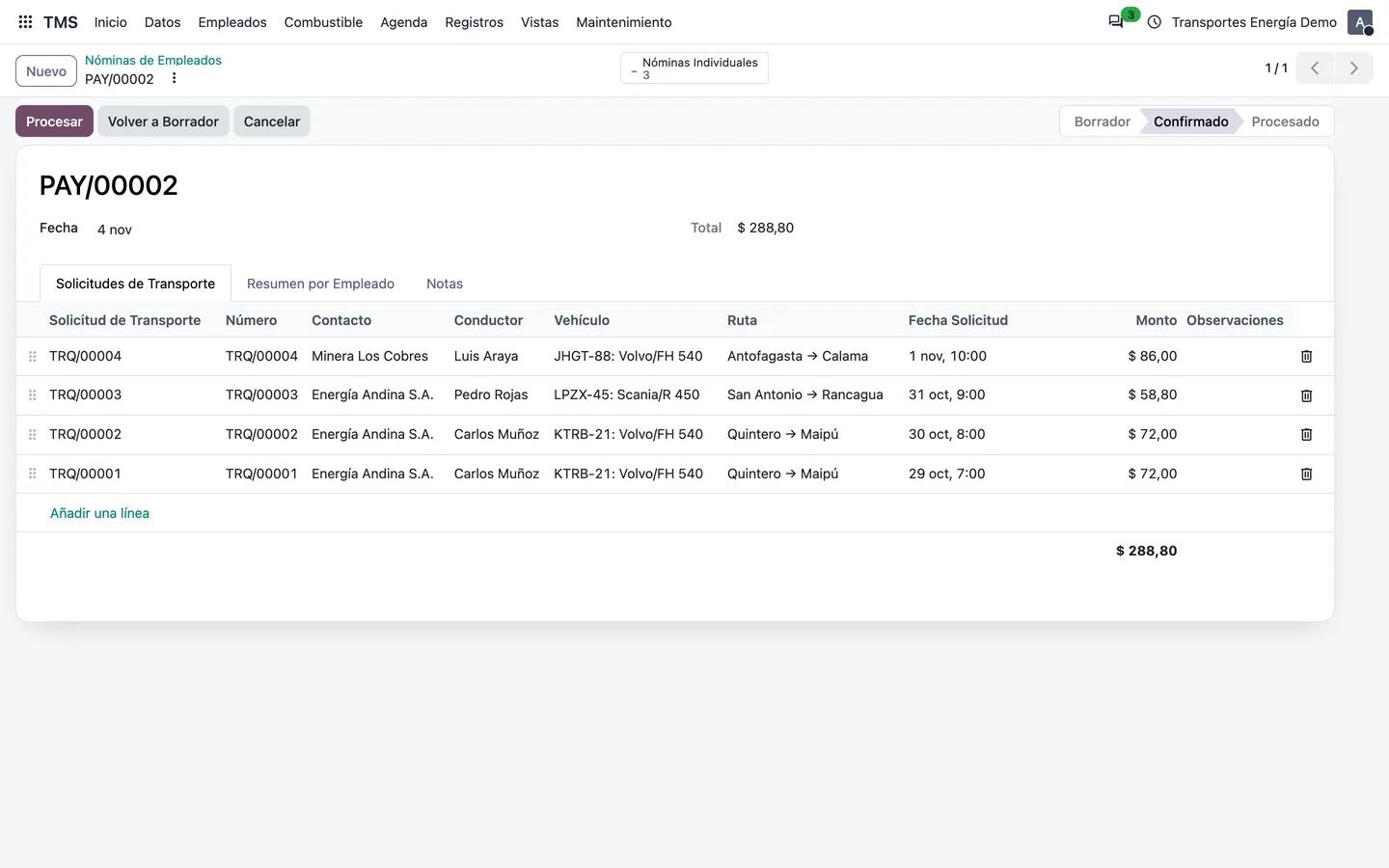
Kilometre sheets with coefficients, payroll computed from trips with your own salary rules, and a portal where drivers start and close their trips.
Control
A due-date agenda (inspections, insurance, licences) that flags itself as expired, and a log of entries and exits at plants and terminals.
Reports
Kilometre sheet and individual payroll in PDF, lists with totals and all the power of Odoo: filters, grouping, export and chatter.
A clear workflow for every trip
Each request moves through states the whole team can see. Drivers start and finish it from their portal; only done or audited trips are invoiced.
- 1 Draft
- 2 Confirmed
- 3 Programmed
- 4 Assigned
- 5 Inspected
- 6 In progress
- 7 Done
- 8 Audited
- 9 Invoiced
What creates it
- Routes and price listsDistance, duration and price per customer
- Sales orderCreates the requests from the sale
- Excel import.xlsx template with the trips
Transport request
Customer, route, set, driver, weights and GPS coordinates
During the trip
- ChecklistInspection before departure
- Driver portalStarts and completes the trip
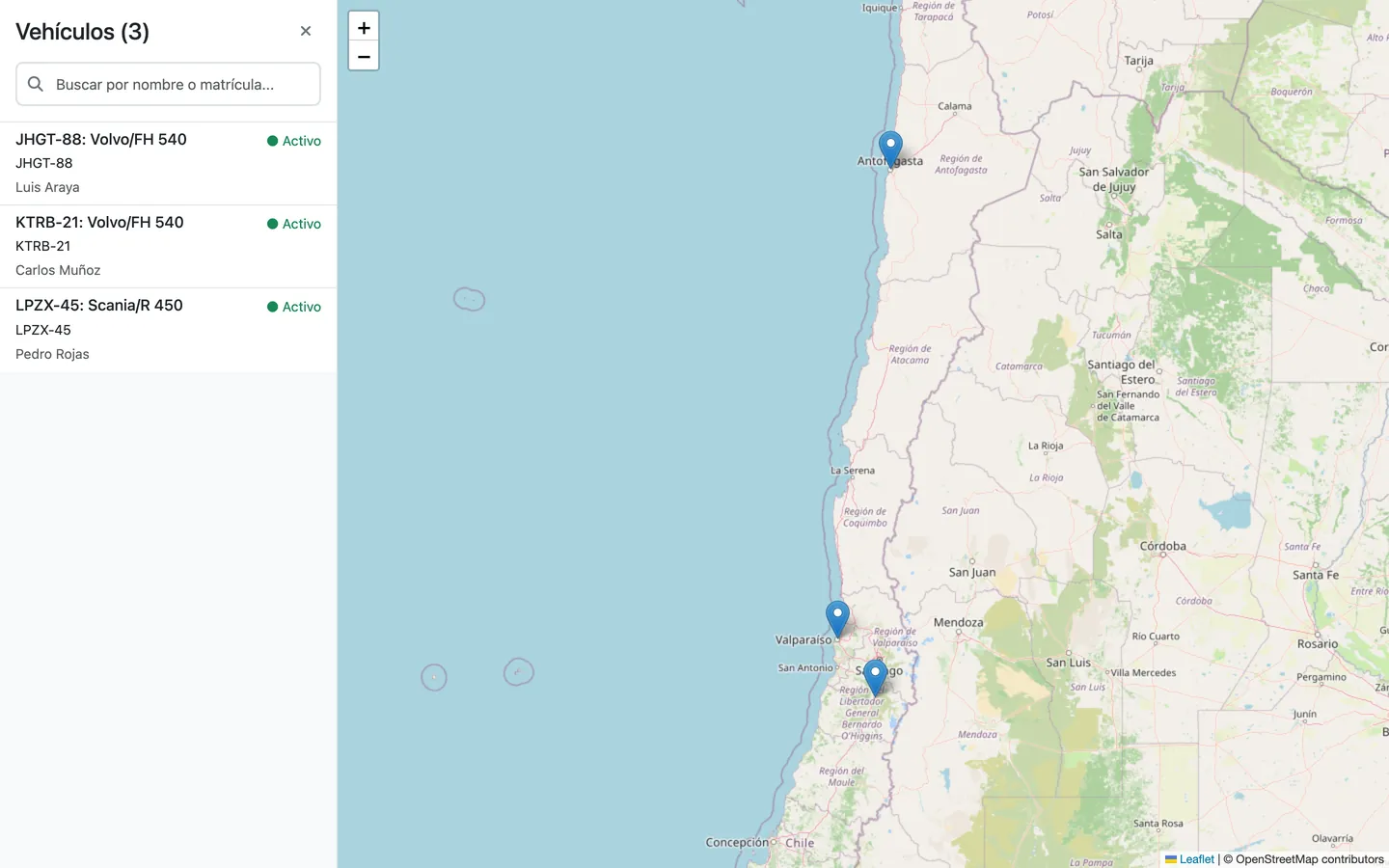
- GPS mapWhere every vehicle is
What it produces
- Sales invoiceGrouped by customer
- Driver payrollComputed from their trips
- Kilometre sheetWith coefficients, in PDF
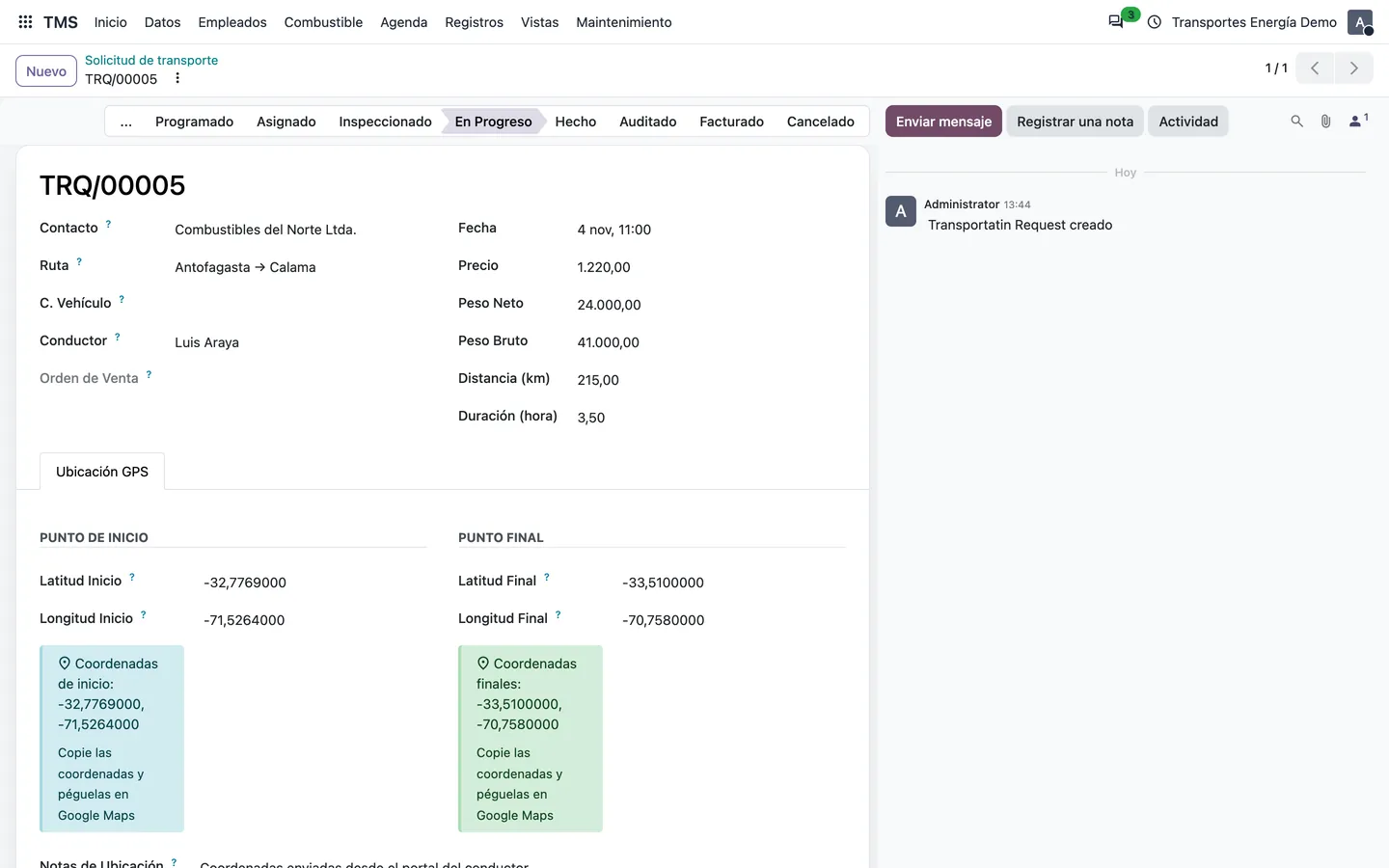
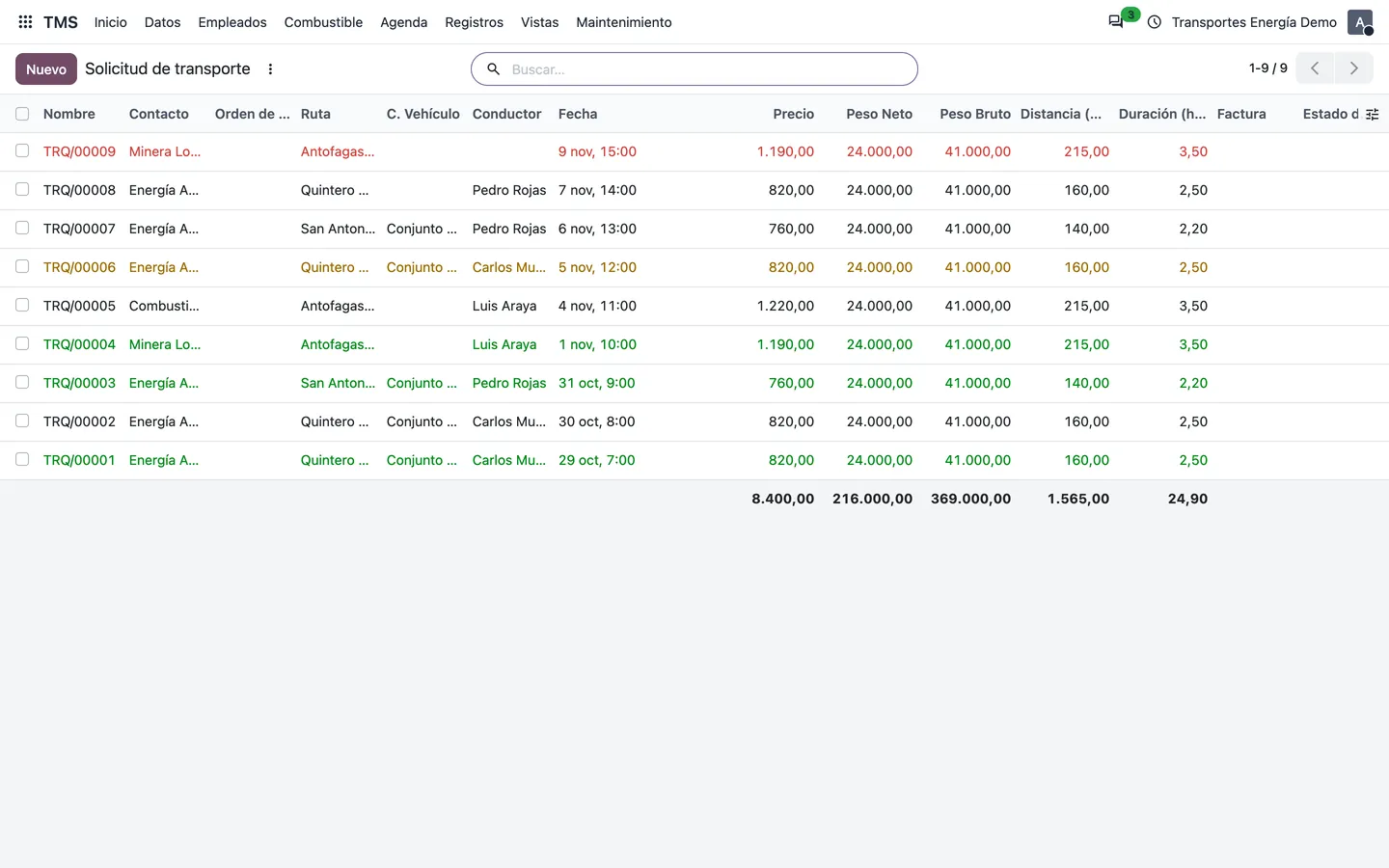
How it looks in Odoo 20
Real screenshots of the demo, with the data of a fuel transport company.
A portal for your drivers
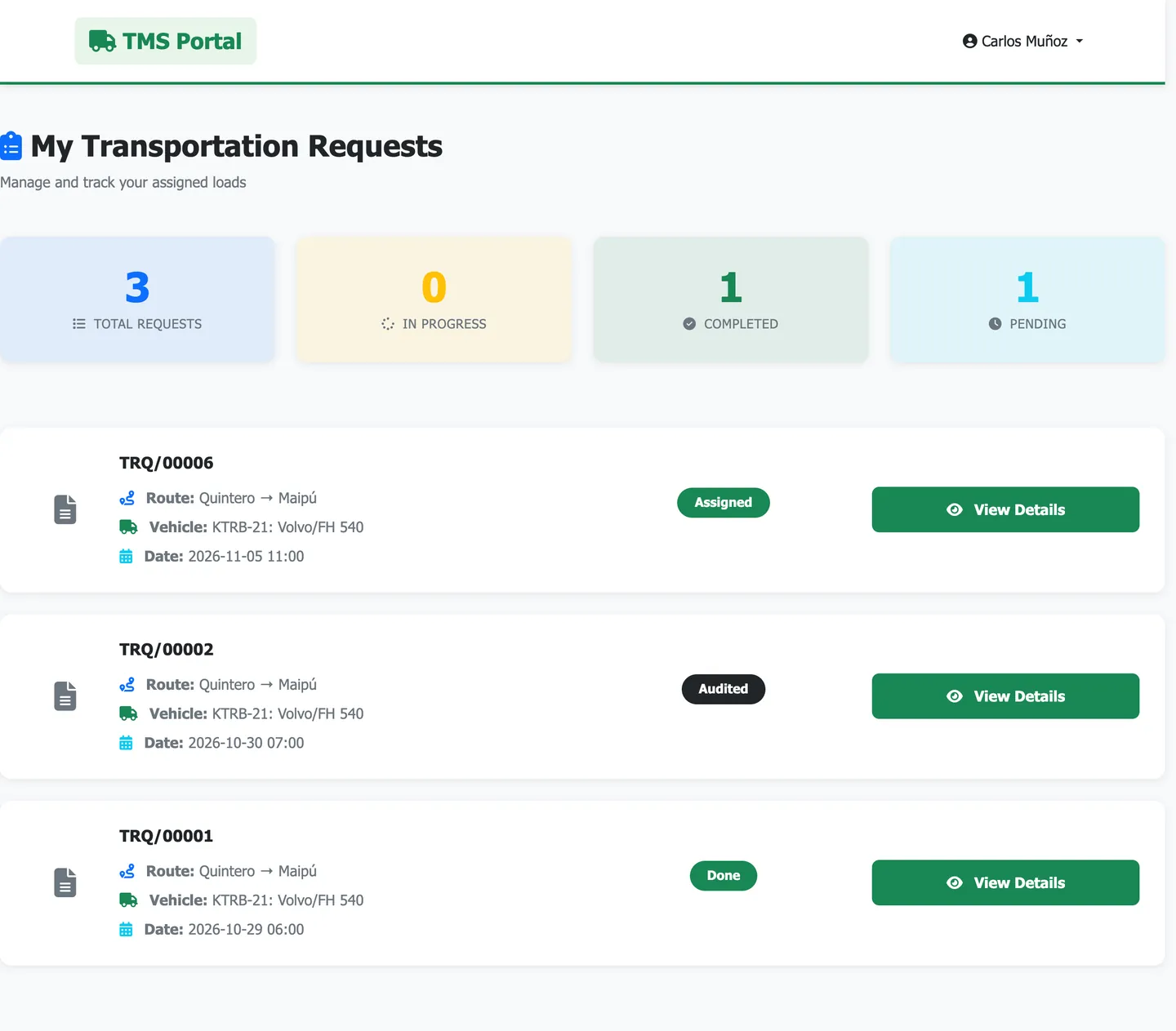
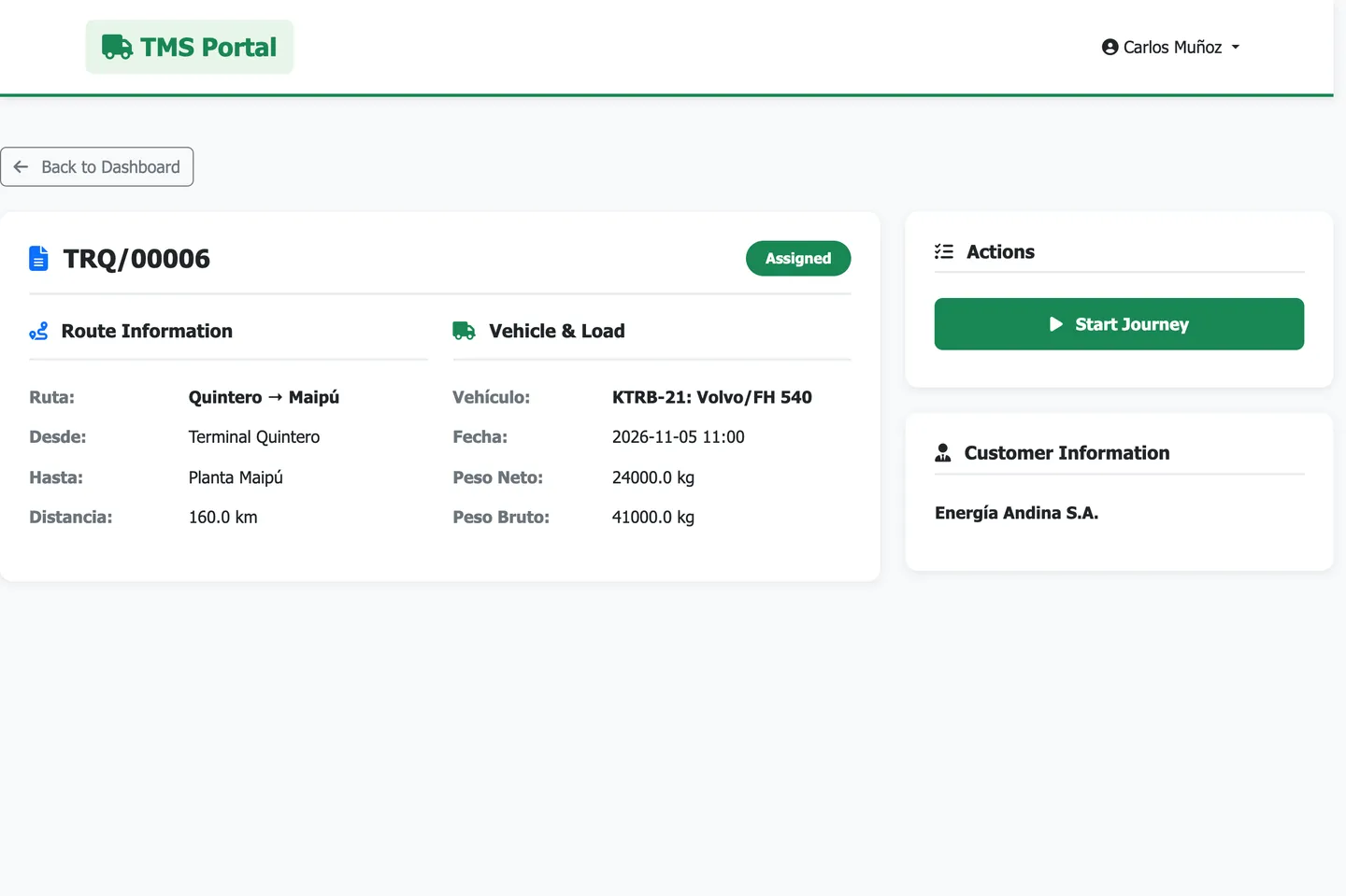
Each driver signs in from their phone with their own username and password, sees their assigned and programmed trips, starts them and completes them. The office sees the change instantly, with no calls or paper sheets.
- Their own access, without an Odoo user licence
- Trip summary: in progress, completed and pending
- Trip details with route, vehicle and date
Learn with the videos
13 short classes (in Spanish) to use TMS Energy step by step.
 Class 1 · Create trucks and see them on the map by GPSWatch on YouTube
 Class 2 · Set up the transport routesWatch on YouTube
 Class 3 · Create a transport request for a route and customerWatch on YouTube
 Class 4 · Invoice a trip according to its routeWatch on YouTube
 Class 5 · Employee payroll from the loads they carriedWatch on YouTube
 Class 6 · Check the load with a checklistWatch on YouTube
 Class 7 · Employee portal to see their assigned loadsWatch on YouTube
 Class 8 · Transport requests from a sales order and routeWatch on YouTube
 Class 9 · Import transports from Excel to plan themWatch on YouTube
 Class 10 · Record tyre changesWatch on YouTube
 Class 11 · Fleet maintenance with cost allocationWatch on YouTube
 Class 12 · Driver kilometre sheet and its automatic calculationWatch on YouTube
 Class 13 · Fuel register per driver and truckWatch on YouTube
The team
Engineers and Odoo consultants who support you during the implementation.
- M
Marlon Falcón Hernández
CEO and founder · MSc. Construction Engineer, official Odoo partner
- Y
Yury Mendoza
Odoo consultant · Support and sales
Shall we see it working with your data?
I will prepare a TMS Energy demo for you and help you with the installation and the go-live.
mfalconsoft@gmail.com · +34 662 470 645